myLSU Portal: Enrollment Certificate
This article has not been updated recently and may contain dated material.
NOTE
If you are using a mobile device to access the myLSU portal, you may need to rotate your phone to landscape mode to access the menu.
To Access Enrollment Certificate through the myLSU Portal:
1. Log into myLSU.
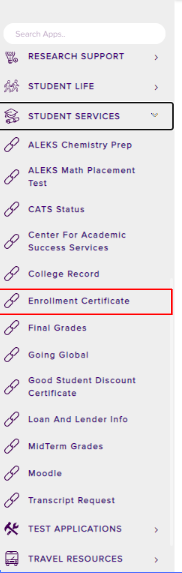
2. Select Student Services, then choose Enrollment Certificate:
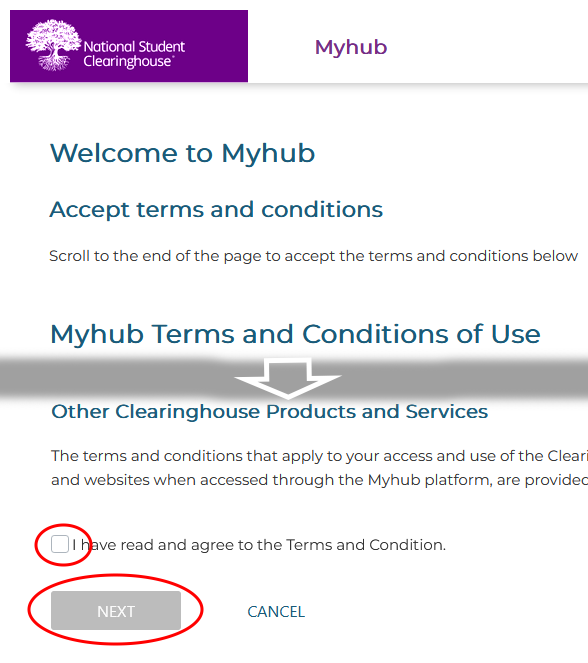
3. A new window will open in your browser that will take you to the external login page. Click the checkbox and choose Next to accept the Terms & Conditions on National Student Clearinghouse.
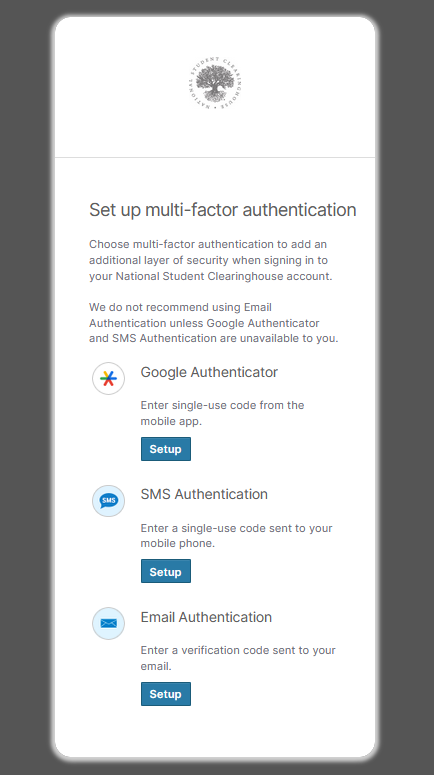
4. After accepting, you will need to set up multi factor authentication for your National Student Clearinghouse account. Follow the setup instructions for the method you choose.
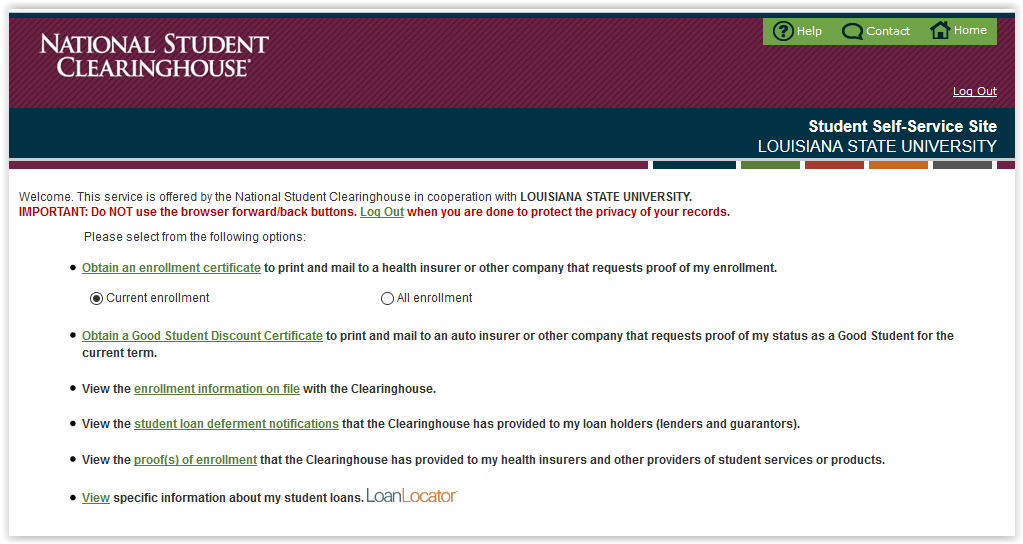
5. After multi factor setup, log in with myLSU and the window will open to the National Student Clearinghouse homepage where enrollment certificates and information can be obtained.
15731
12/15/2025 2:28:44 PM